 PlayJar









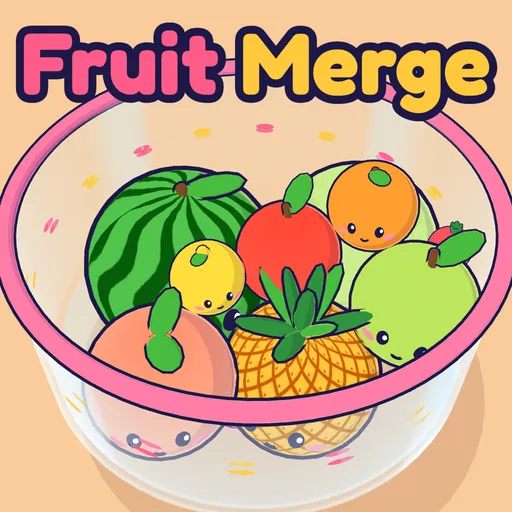
Fruit Merge
Free to Play · No Download · Updated
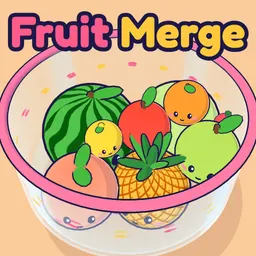
Play Fruit Merge free online. Drop cute fruit into a 3D bowl, merge two of the same into bigger fruit and spin the bowl to grow a watermelon.
Controls
- Move Mouse / Drag
- Aim the fruit over the bowl
- Click / Release
- Drop the fruit
- Arrow Keys / WASD
- Aim
- Space / Enter
- Drop
- Q / E or Spin Buttons
- Spin the bowl left or right
- Mouse Wheel
- Give the bowl a quick spin
- Shift / Tap Next
- Swap with the next fruit (once per drop)
- 1 / 2
- Use a rainbow fruit / a bomb
- P / Esc
- Pause
- M
- Mute
Fruit Merge is a drop and merge puzzle with a bowl full of smiling fruit. Drop a fruit in, and when two of the same kind touch, they squish together into the next size up. Two cherries make a strawberry, two strawberries make a grape, and so on all the way up to a watermelon.
The bowl here is a round glass bowl in full 3D, not a flat box. Fruit stays roughly where you drop it, so where you aim really matters, and you can spin the bowl to shift the whole pile when a match is stuck on the far side. A ghost shows where each fruit will land before you let go, and it turns green when it’s about to land on a match. Fill the juice meter for Juice Rush and double points, and earn rainbow fruit and bombs along the way.
How to Play Fruit Merge
- Move your mouse or drag your finger to aim. The fruit hangs above the bowl, and a line and a see-through ghost show where it will land.
- Click, or let go of the screen, to drop it.
- When two fruits of the same kind touch, they merge into a bigger fruit and you score points.
- Check the Next box at the top to see what’s coming. Tap it (or press Shift) to swap the two, once per drop.
- Hold the spin buttons in the bottom corners (or Q and E) to spin the bowl and roll the fruit around.
- Keep the fruit below the pink rim. If anything stays above it for a few seconds, the game is over.
Juice Rush and Power-Ups
Every merge squirts some juice into the meter at the bottom of the screen. Bigger fruit fills it faster. When it’s full, Juice Rush starts: the bowl glows rainbow and every merge scores double for 10 seconds.
Each rush also gives you a power-up:
- Rainbow fruit. Tap the rainbow button and your next drop is a rainbow fruit. It merges with whatever it touches first and turns that fruit into the next size up. Use it on a big fruit that has no partner.
- Bomb. Tap the bomb button, then tap any fruit in the bowl to pop it. It’s best saved for when the bowl is nearly full, or a big fruit is blocking a merge.
The Fruit Chain
Only the five smallest fruits come out of the dropper. Everything bigger has to be merged.
| Merge | Makes | Points |
|---|---|---|
| 2 cherries | Strawberry | 3 |
| 2 strawberries | Grape | 6 |
| 2 grapes | Lemon | 10 |
| 2 lemons | Orange | 15 |
| 2 oranges | Apple | 21 |
| 2 apples | Pear | 28 |
| 2 pears | Peach | 36 |
| 2 peaches | Pineapple | 45 |
| 2 pineapples | Melon | 55 |
| 2 melons | Watermelon | 66 |
| 2 watermelons | Burst! | 200 |
When one drop sets off a chain of merges, that’s a combo. The second merge in a combo scores 1.5 times its points, the third double, the fourth 2.5 times and so on, up to 4 times. So one well placed drop that sets off three or four merges can be worth more than a dozen slow ones.
Fruit Merge Tips
- Keep big fruit to one side. Let your largest fruits settle together against one wall, and drop the small ones on the other side. That way the next merge always has a partner close by.
- Use the ghost. The ghost shows where the fruit will first touch something, and it turns green over a match. Drop a fruit right on top of its match and it merges the moment it lands.
- Swap to save a bad drop. If the fruit in your hand has nowhere good to go, swap it with the next one.
- Save the bomb. A bomb is worth the most when the bowl is nearly full, so don’t spend it early.
- Spin to fix a bad drop. If a fruit ends up next to the wrong neighbour, a short spin can roll the pile enough to bring two matches together.
- Don’t panic at the red flash. You have about three seconds once a fruit sits above the rim. One good merge underneath often drops the whole pile back down.
- Watch the Next box. If the next fruit is a cherry, you can afford to drop the current one somewhere awkward. If it’s an orange, keep a spot open for it.
- Set up chains. Line up fruit from small to big, like a cherry touching a strawberry touching a grape. Drop another cherry on the first cherry: it becomes a strawberry, which merges into a grape, which merges into a lemon. That’s a three-merge combo from one drop.
Why the Bowl Changes Things
In a flat box game, fruit only ever moves left and right. In a round bowl, fruit can sit in front of or behind each other, so you get far more places for a fruit to settle. The fruit grips a little, so it stays close to where you drop it, and spinning lets you move the whole pile when a match is stuck on the far side.
Questions Players Ask
Is Fruit Merge Free to Play?
Yes. It runs in your browser for free on phones, tablets and computers. There's nothing to download and you don't need an account.
How Do You Merge Fruit?
Drop a fruit so it touches another fruit of the same kind. The two squish together into the next fruit in the chain, which is bigger and worth more points.
What Is the Fruit Order?
Cherry, strawberry, grape, lemon, orange, apple, pear, peach, pineapple, melon and watermelon. The strip at the bottom of the screen shows the whole chain and lights up each fruit once you've made it.
What Happens When Two Watermelons Merge?
They both burst for a 200 point bonus and leave a lot of empty space in the bowl. It's the hardest thing to pull off in the game.
How Do You Lose?
The pink rim of the bowl is the line. If a fruit stays above the rim for about three seconds, the game ends. The bowl flashes red and a warning pops up first, so you have a moment to merge your way out.
What Does Spinning the Bowl Do?
The fruit touching the bowl gets dragged along with it, so the whole pile shifts and rolls. Use it to move a fruit next to its match, or to settle a pile that's about to spill over.
What Is Juice Rush?
Every merge fills the juice meter at the bottom, and bigger fruit fills it faster. When it's full, Juice Rush starts and every merge scores double for 10 seconds. Each rush also gives you a power-up.
What Do the Power-Ups Do?
The rainbow fruit merges with the first fruit it touches and turns it into the next size up, whatever kind it is. The bomb lets you tap any fruit in the bowl to pop it, which is handy when a big fruit is in the wrong place. You can hold up to three of each.
Is My Game Saved?
Yes. Your game saves itself every few seconds, so you can close the tab and press Continue later. Your best score and biggest fruit are saved in your browser on this device.
Is This the Watermelon Game?
It's the same kind of game. You drop fruit and merge it up to a watermelon. Fruit Merge plays in a round 3D bowl you can spin instead of a flat box, and it shows you where each fruit will land before you drop it.
More Free Games to Try
- Sliding Puzzle: A free sliding puzzle in your browser. Play the 8 puzzle, the 15 puzzle or big 5×5 and 6×6 boards with numbers or pictures, hints and a daily puzzle.
- Flag Reveal: A free flag quiz where tiles flip away to reveal each flag. Guess the flag early for more points, keep your streak and master all 197 countries.
- Think Twice!: Think Twice! is a free tricky puzzle game you play online. 100 brain teasers and trick questions where the obvious answer is wrong. Can you outsmart them?
- Charades: A free charades generator with 600+ charades ideas in 13 categories, plus a team game with a timer and scores and a tilt-to-play forehead mode.
- Falling Sand: A free falling sand game in your browser. Pour sand, water, lava, fire, acid and 12 more elements, and watch them flow, burn, melt, grow and explode.
- Liar's Dice: Play Liar's Dice free online against 2 to 5 computer players. Bid, bluff and call Liar with real 3D dice. Wild ones, Spot On and odds help included.